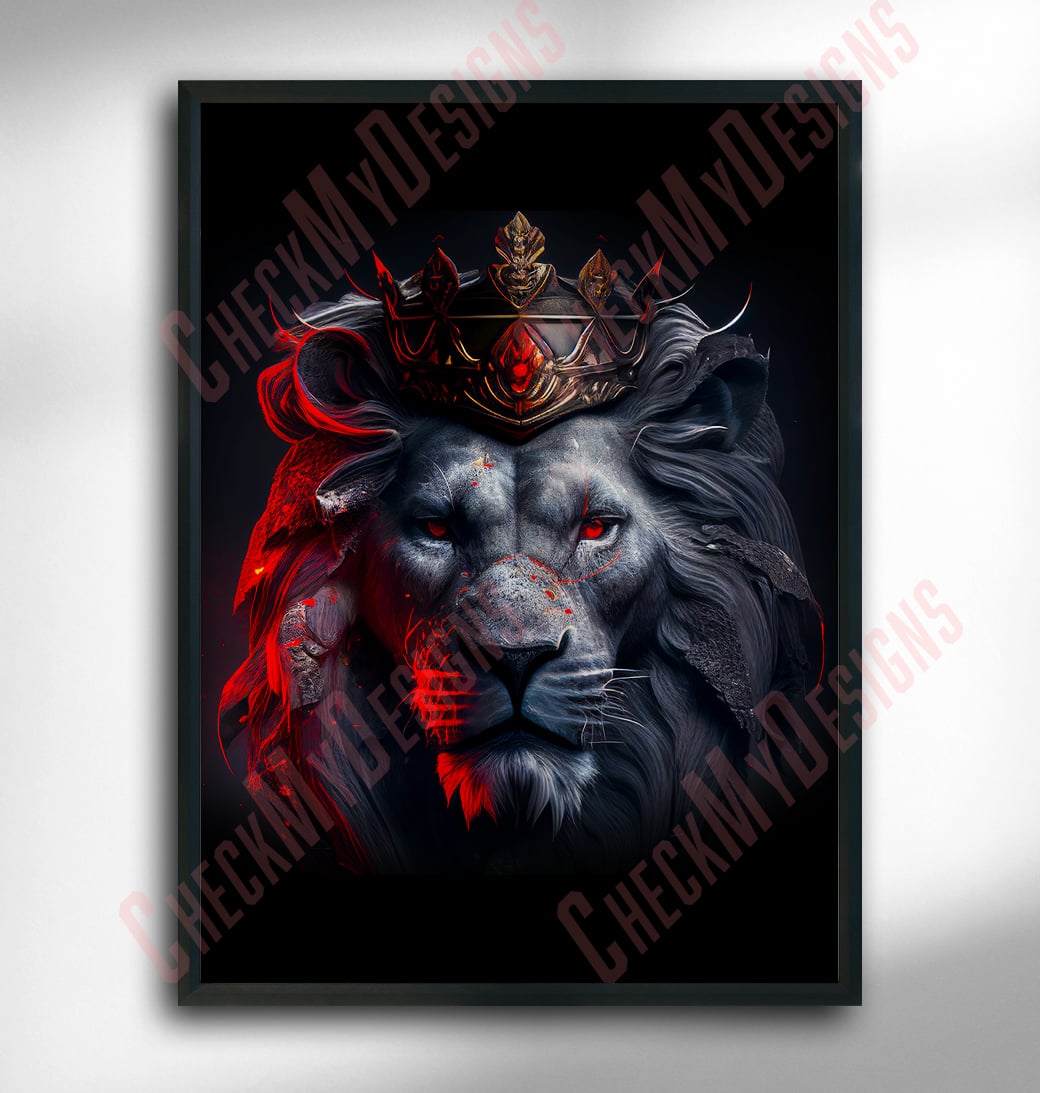
A crowned lion, composited in Photoshop until two photographs read as one regal portrait.
1Sellable hero graphic
CompositePhoto art technique
Print-readyOutput format
PhotoshopProduction tool
The Challenge
The concept, a lion wearing a crown, is instantly readable, and that familiarity is the trap. Audiences have seen "king of the jungle" imagery before, so a piece worth paying for has to feel crafted rather than assembled. The core challenge was compositing a crown onto a photographic lion so convincingly that the two elements read as a single captured moment, not two stacked images.
Beyond believability, the artwork had to earn a place on a wall or a product. That meant resolving mismatched lighting, perspective, color temperature, and the tricky edge where metal meets fur, while keeping the lion's expression regal and the file print-ready. The work sat at the intersection of photorealistic integration and enough graphic polish to stand on its own as a commercial piece.
Approach
Concept and referenceLocked the crowned-lion idea, then gathered lion and crown source imagery chosen for compatible viewing angle, light direction, and resolution so the composite began on solid footing.
Subject isolationMasked the lion with layer masks, working the fur edges non-destructively so the animal could be relit and graded without touching the original pixels.
Crown placement and perspectiveScaled and warped the crown to follow the skull's curvature and the lion's angle, so the piece sits on the head rather than floating above it.
Lighting and shadow integrationMatched highlight direction and painted contact shadows where metal meets fur, tying the crown into the lion's existing light source.
Color grade and exportPulled both elements into one palette and temperature, sharpened for detail, and exported at sale-ready resolution and format.
Key Features
Concept-led sourcing
Reference imagery selected for matching angle, light, and resolution, so the composite starts from photographs that already agree.
Non-destructive masking
Layer masks isolate the lion cleanly and preserve fur edges without cutting into the source pixels.
Crown integration
The crown is warped and scaled to the skull's curvature so it reads as worn, not pasted on.
Lighting match
Highlights, shadows, and contact points are painted to agree with the lion's original light source.
Unified color grade
Adjustment layers draw metal and fur into a single palette and temperature for a one-image feel.
Print-ready delivery
Exported at sale-ready resolution and format, suited to posters, prints, and merchandise.
A composite only sells once the eye stops asking questions, so I made the crown feel like it grew with the lion, not like it landed on him.
Chris Cooper, design rationale
Results
A single, cohesive hero artwork of a crowned lion, finished and ready to sell.
Photorealistic crown integration, with matched lighting, perspective, and edges across fur and metal.
A print-ready file suited to posters, prints, and merchandise.
A repeatable compositing workflow that can extend into a wider animal-royalty series.
Strategy
Anchor on a single, instantly legible concept, a crowned lion, that carries commercial appeal.
Treat believability as the product: every edit serves the goal of reading as one photograph.
Design for sale from the first step, choosing resolution and framing that hold up in print and on merch.
Design
Warp and scale the crown to follow the skull's curvature and the lion's viewing angle.
Match highlight direction and add contact shadows where metal meets fur.
Grade lion and crown into one palette and color temperature for cohesion.
Preserve the lion's gaze and posture so the regal read lands without a caption.
Tools
Adobe Photoshop, layer masks for non-destructive subject isolation.
Adjustment layers (curves, color balance) for a unified grade.
Transform and warp tools for fitting the crown's perspective.
Dodge, burn, and soft brushes for lighting and shadow integration.